Integrations
On this page integrations configuration is available. Integrations can be used for webhooks or email notifications.
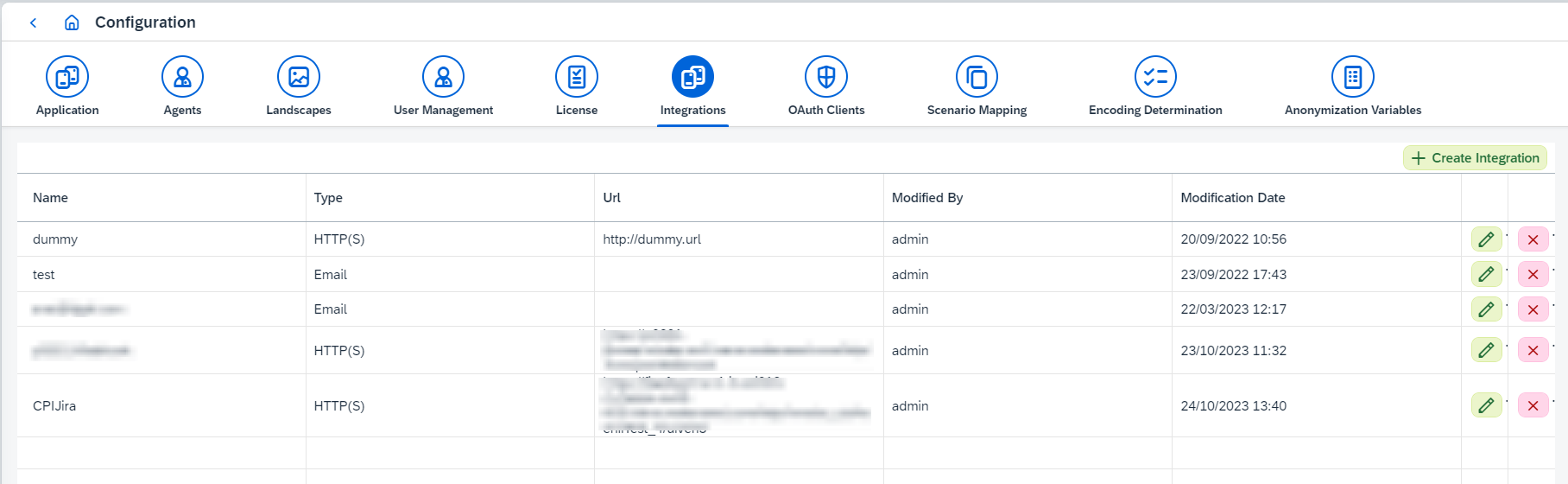
An integration is a reusable destination. You define it once here, then point features at it rather than repeating an address or a URL in each of them.
1. Creating an integration
Click Create Integration and choose the Integration Type:
-
HTTP(S)takes aNameand aURL. EnableBasic Authto send aUsernameandPasswordwith the request. -
Emailtakes aNameand anEmailaddress.
Existing integrations are listed with their Name, Type, Url, Modified By and
Modification Date, and can be edited or deleted from the table.
|
Email integrations need the SMTP settings on the
Application
configuration page — |
Only users with the IRTAdmin or IRTApplicationManager role can manage integrations, as
described in User management and
permissions.
2. Where integrations are used
- Support Tool rules
-
A rule names the
Email IntegrationsandHTTP(S) Integrationsto trigger when it matches an alert, and can send the alert’s attachments with the notification. Each integration has aTestfunction so you can check it before relying on it. - Landscape webhooks
-
A binary landscape can fire a webhook on selected events. Create the
HTTP(S)integration here first, then choose it inWebhook integrationon the landscape. Each triggered event is also written to the audit log as aWEBHOOK_INTEGRATIONevent.