Landscape Overview page
All objects in scope of CPI and Api Management composite landscapes can be browsed on Landscape Overview page.
-
Go to
Change Tracking Tool → Landscape Overviewpage -
Select CPI or Api Management composite landscape. Table with objects through the composite landscape will be shown:
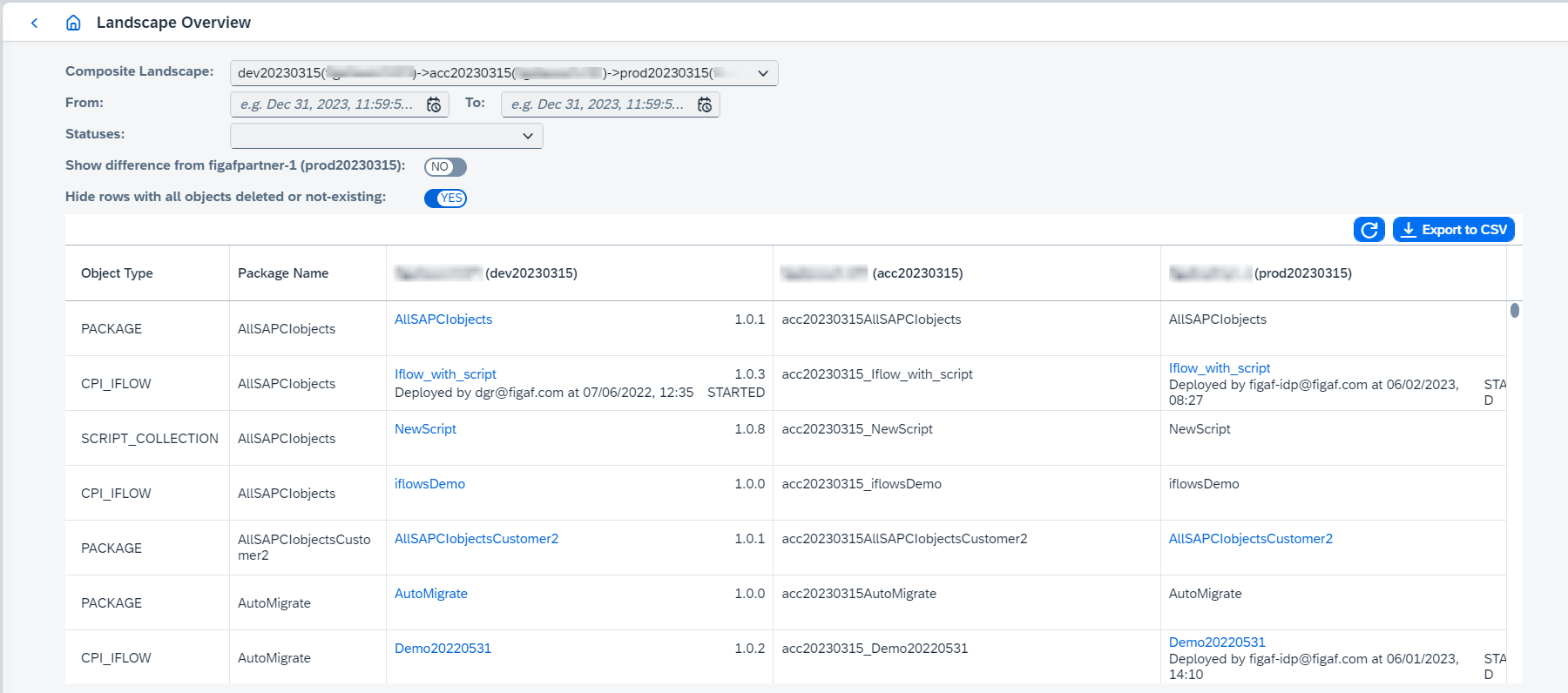
 is an object marked as deleted in CTT.
-
The following features are available:
-
(Only for CPI)
Include Partner Directoryloads partner directory objects as well. -
(Only for CPI)
Parameters reportgenerates configuration parameters report for all IFlows or selected IFlows. -
Export to CSVgenerates CSV report with the table data. -
Compare versions clicking on
 . Then select objects for comparison and compare objects.
 -
Show difference from target system - if true, only the iflows that have different version with target object are shown.
-
Go to tracked object page clicking on the object link.
-
Go to corresponding transport configuration page for objects with transport configuration clicking on the object link and selecting related option.
-
Filter by DevOps ticket(s) to show only the tracked objects attached to the selected tickets.
-
Batch deploy/undeploy of IFlows and non-IFlow artifacts, clicking on
 and clicking on
 Deploy/Undeploy.Since 2604, non-IFlow artifacts (Value Mappings, Script Collections, Message Mappings, Function Libraries, Imported Archives) are deployed only to runtimes resolved from their linked parent IFlows by default. If a non-IFlow artifact has no parent IFlows linked, it will be skipped.
Deployment process can be initiated with various configurations:
-
Deploy missing dependent artifactsconfigures whether undeployed dependent objects of selected IFlows should be deployed or not. Supported dependent objects types areMessage Mappings,Script Collections,Imported ArchivesandFunction libraries. -
Process dependent artifacts forciblyconfigures whether deployed dependent objects of selected IFlows should be redeployed or not. -
Deploy non-IFlow artifacts to chosen runtime(only for Integration Suite tenants) configures additional runtime to deploy non-IFlow artifacts (Value Mappings, Script Collections, etc.). When enabled, a Runtime selector becomes visible and the chosen runtime is used in addition to the runtimes resolved from parent IFlows.
-
-
The Landscape Overview can also be opened pre-filtered from other pages:
-
from the B2B Scenarios overview - select one or more scenarios, click
Landscape Overviewand pick a composite landscape assigned to the agent; -
from a tracked object - use the
Landscape Overviewaction (hidden for object types not shown on the Landscape Overview); -
from the DevOps
Ticketslist - select tickets and clickLandscape Overview.