Use an IFlow as a configurable template
If you have multiple organizations, like a sales division for Denmark, Germany, Sweden, and some flows may need to run for all organizations, you can develop the flow once and then configure it for multiple organizations using distribution configuration.
-
Open the IFlow details you want to use as a configurable template to create many IFlows.
-
Click on
Create distribution configurationbutton. It creates distribution configuration that is used for configuring external configuration for target IFlows created from the selected IFlow. -
Click on
Add target IFlowto add target IFlows to the distribution configuration. It opens 'Add iFlows to distribution configuration' dialog box where you can configure target IFlows technical and displayed names: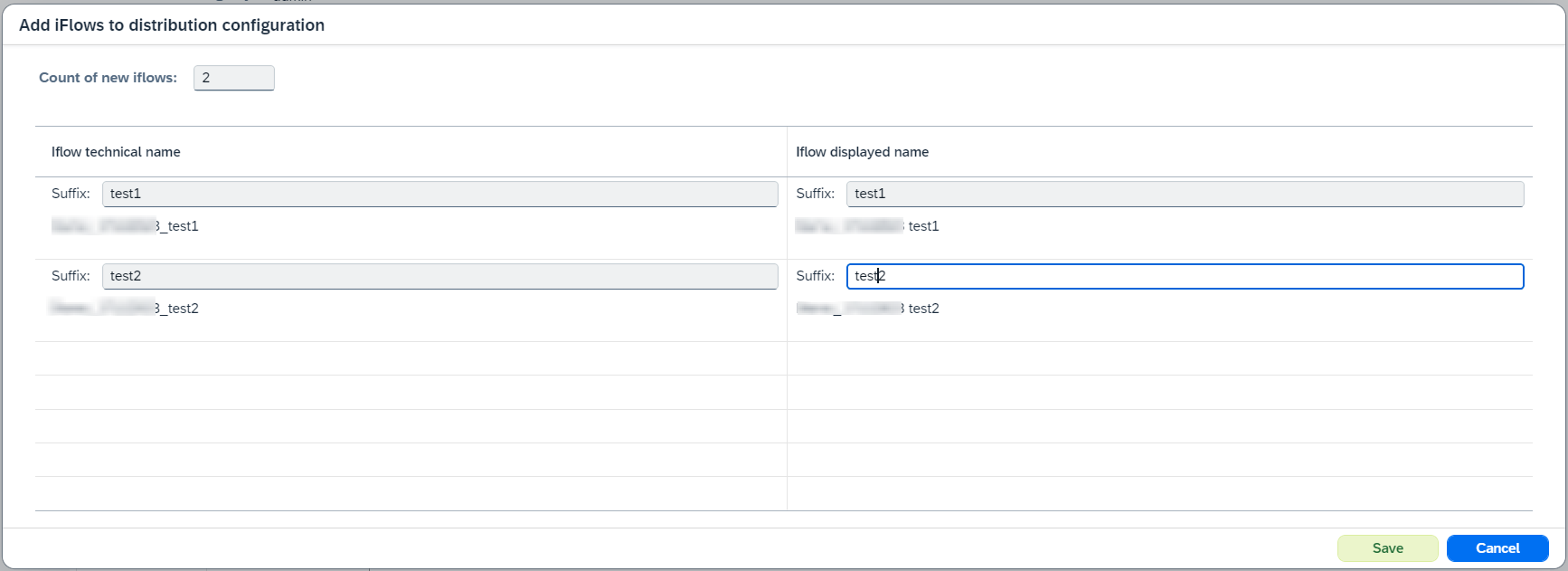
-
If you want to change external configuration of target IFlows, deselect
Inherit (source)for parameter, define values, andSaveconfiguration: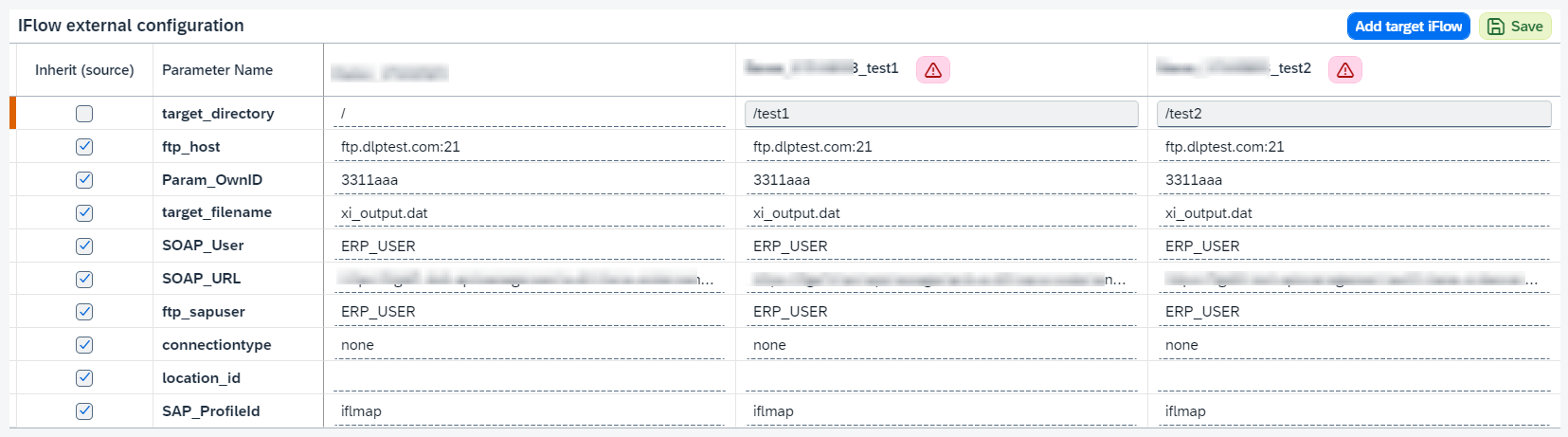
-
You can
Upload all IFlowsorUpdate target IFlow(in of target IFlow).
If you want to deploy target IFlows, click on
 , enable
 Deploy uploaded objects, and click on .
.If you want to update target IFlows after source IFlow changes, click on
, enable Update target objects automatically, and click on. After that if source IFlow is updated (the changes are handled during synchronization), target IFlows will be updated automatically. -
If you want to delete the distribution configuration, click on
Deletebutton. It marks distribution configuration as deleted. If you want to delete distribution configuration that marked as deleted from CTT, click onDelete from CTTbutton.
IFlow can be linked only with one distribution configuration.
The IFlows created from a template are tracked like any others and can be transported with DevOps.