Event Mesh Monitoring
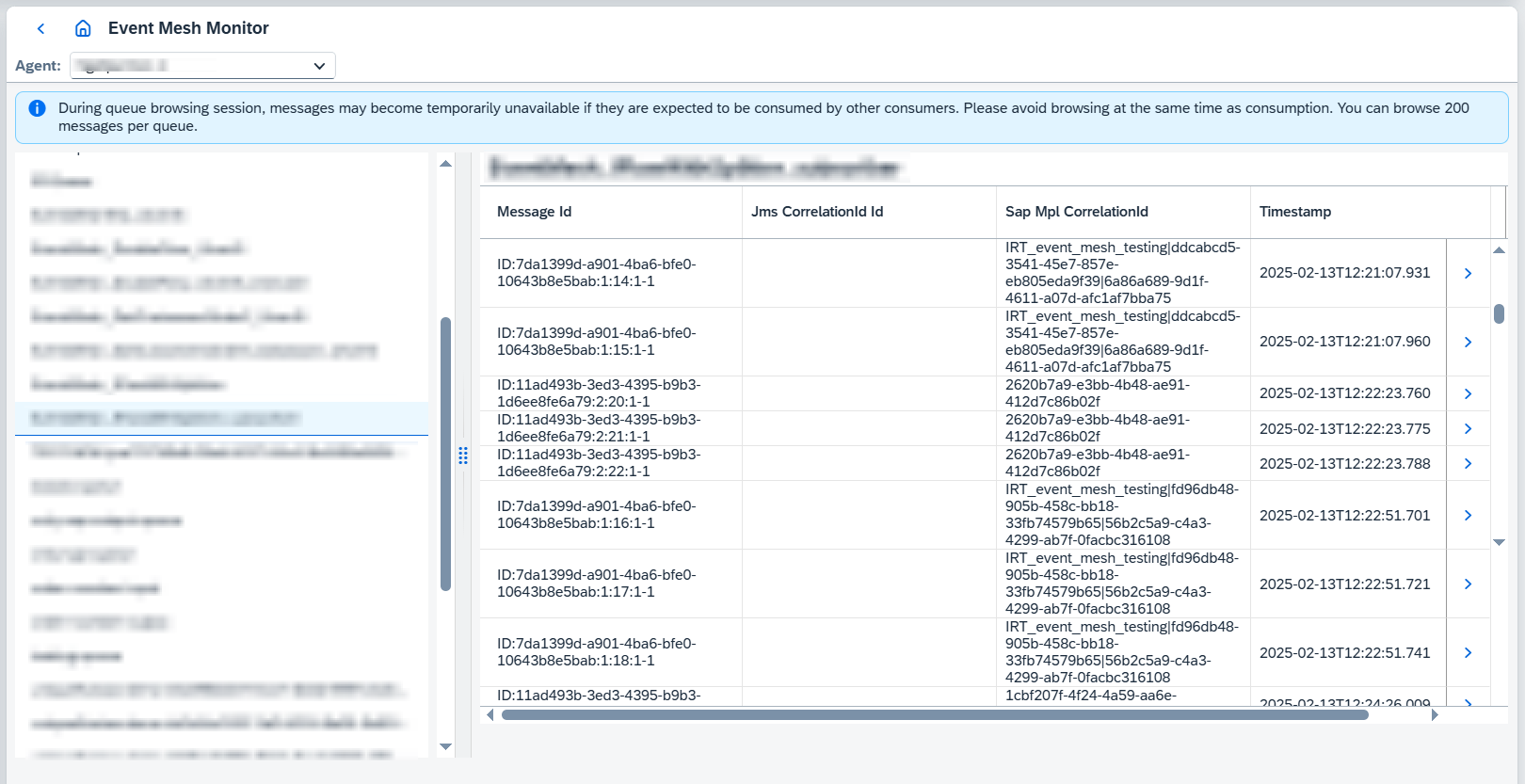
Since Figaf Tool 2502 Event Mesh monitoring is supported. Here you can browse configured queues and their messages:
Event Mesh configuration must be defined on the CPI agent — see
CPI agent
configuration. Use different credentials for Event Mesh - Publisher and
Event Mesh - Subscriber.
1. Browsing queues and messages
Pick the system in the Agent: selector at the top of the Event Mesh Monitor page. The
queues of that instance are listed on the left with their current message count, and the
Filter by Name field narrows the list.
Selecting a queue loads its messages into the table on the right, with Message Id,
Jms CorrelationId Id, Sap Mpl CorrelationId and Timestamp columns. The first three can
be filtered and sorted; Timestamp can be sorted. Use the arrow at the end of a row to open
the message body, together with its headers.
|
Browsing is read-only and does not consume messages, but it does compete with real consumers:
|
Event Mesh topics can also be recorded and tested — see
E2e testing of
Event Mesh topics. Queues that Figaf Tool creates for recording and testing can be given an
extra prefix with the irt.testing.event-mesh.figaf-queue-extra-prefix property, described in
Application properties.