How changes move between your systems is decided in a few places and rarely written down, so every team ends up doing it differently.
The landscape is where Figaf DevOps Suite is told how you work. Everything below is a setting on it, so a new team member reads the process instead of being told about it, and every transport follows the same rules. It is set up by architects and integration managers, and used by everyone who transports.
How it works
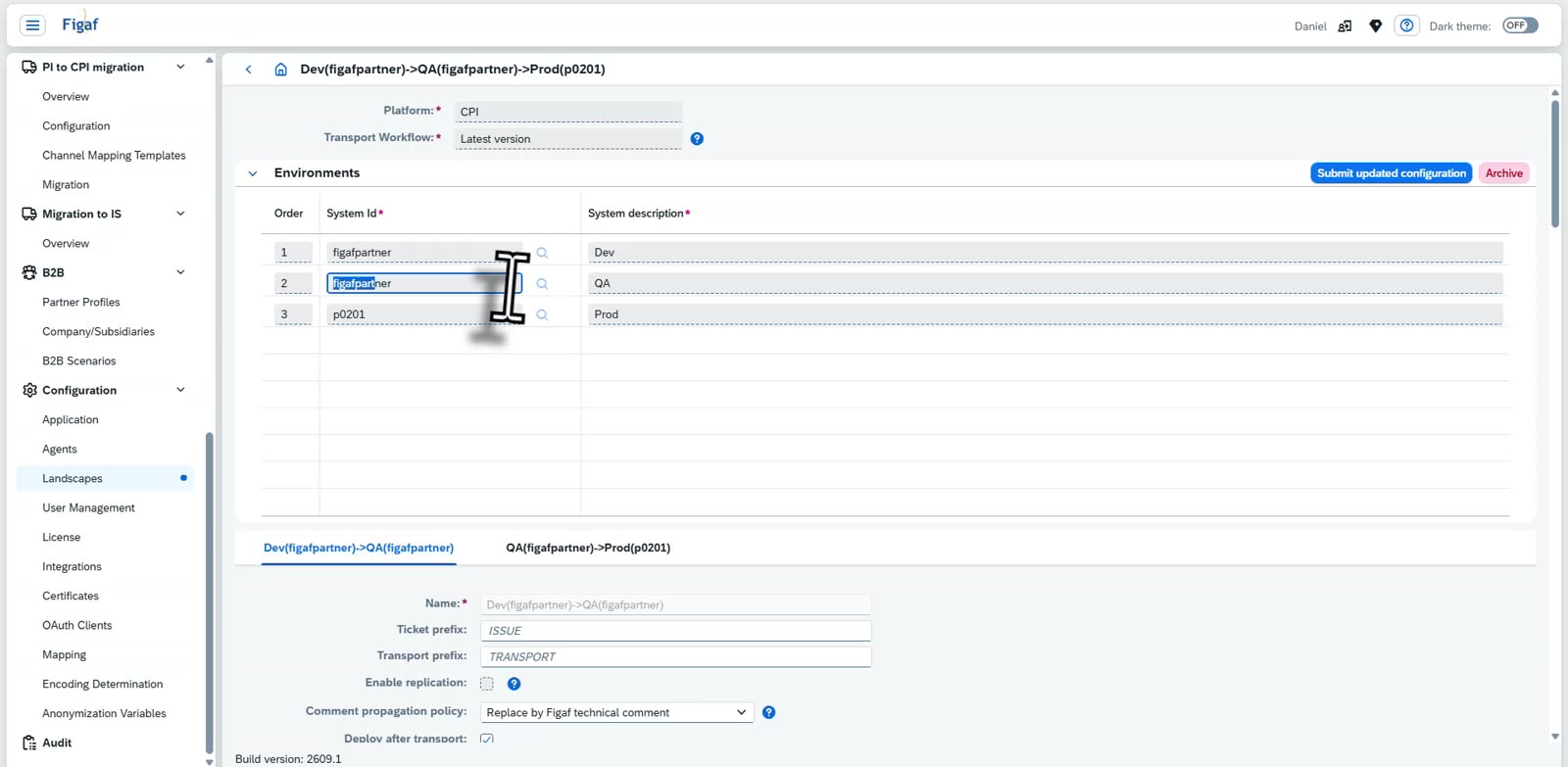
Systems and their purposes. A landscape is a list of systems in order, such as Development, Test and Production, each with a description of its purpose. The same system can appear in more than one position, which makes a virtual tenant. Each step between two systems is a landscape of its own, with its own settings.
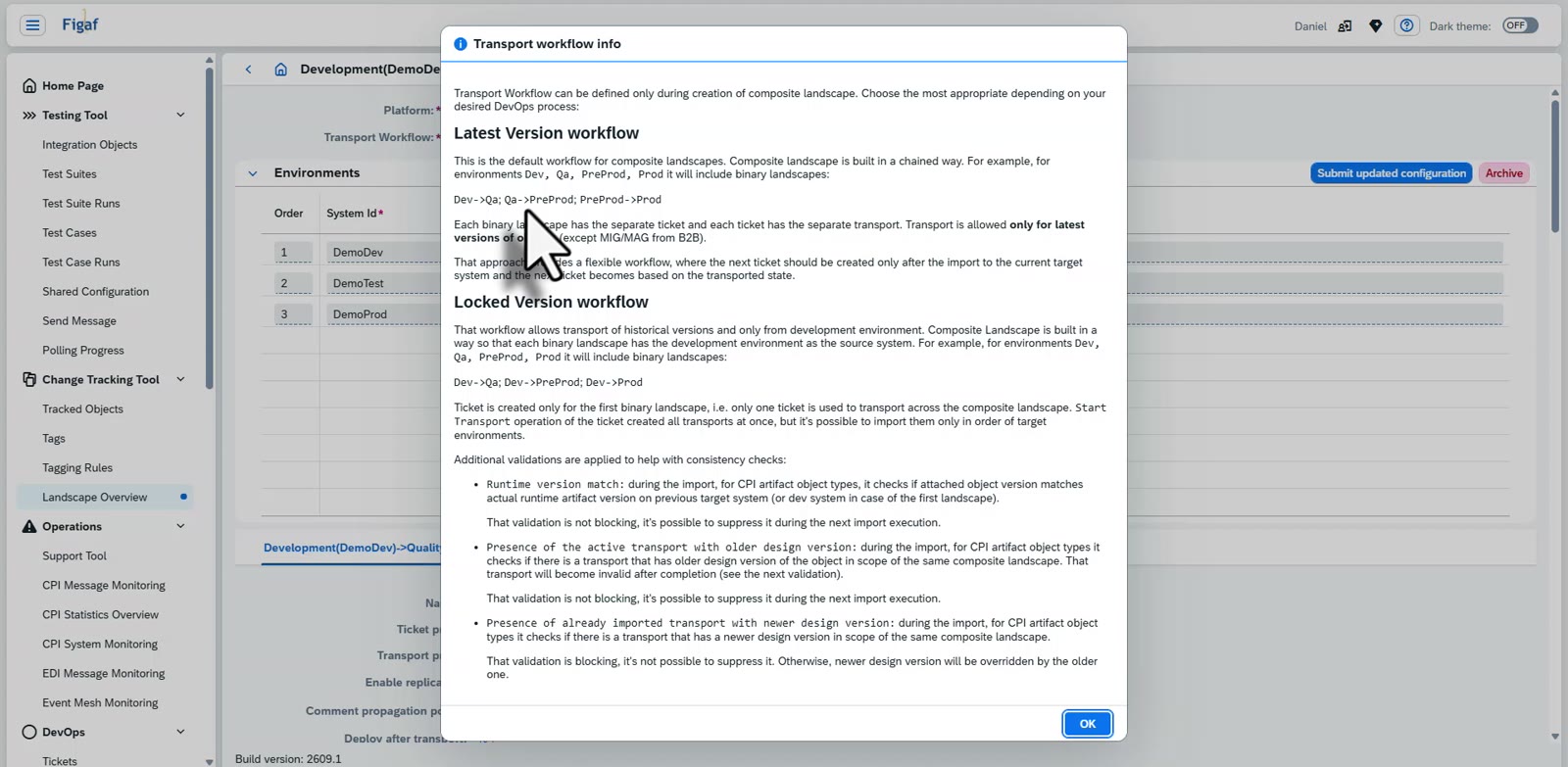
Two transport workflows. You choose the workflow when you create the landscape, and both are supported, so it depends on how you work. Latest version is the default: the landscape is a chain, Dev to QA to PreProd to Prod, with a separate ticket and transport for each step. Only the latest versions of the objects are transported, and the next ticket is created after the import into the current target. Locked version is built for projects: every step takes its objects from the development system, so historical versions can be transported, and one ticket is used across the whole landscape. Starting the transport creates all the transports at once, but they can only be imported in the order of the target systems.
Consistency checks. The workflows come with checks, such as whether the version in the target matches what was expected, whether an older design version is imported over a newer one, and whether a transport with a newer design version has already been imported. Some are warnings you can suppress, and some block the import.
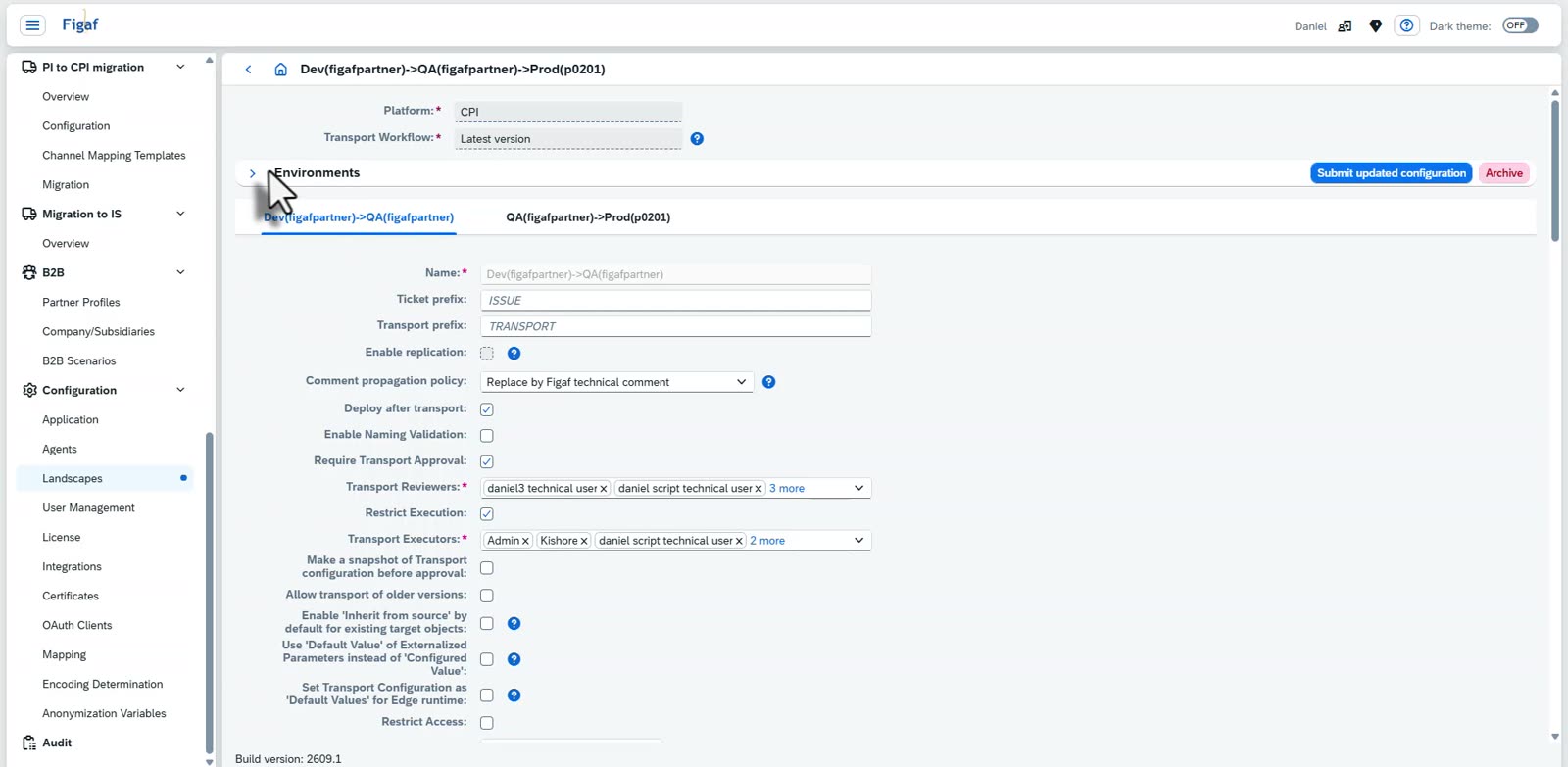
Approvals and access. On each step you decide whether a transport needs approval, who the reviewers are and who may execute transports. You can take a snapshot of the transport configuration before approval, decide whether older versions can be transported, and restrict access to the landscape. See approvals and transport checks.
Prefixes and comments. Set the ticket and transport prefixes, and how comments are propagated to the target.
Deployment and timing. Choose whether to deploy after the transport, and set a scheduled time for transports to be executed.
Configuration of the objects. Decide whether the target inherits from the source by default for objects that already exist, and whether the default value of an externalized parameter is used instead of the configured one. Parameter mapping rules and value replacement rules live on the landscape too, see central configuration and virtual tenants.
Validation. Use naming validation and transport validation tags, and deny or allow objects by name pattern, object type or tag.
Notifications and ticket systems. Email people about approval actions and completed transports, set additional recipients, point the landscape at the ticket system it fetches external tickets from, and set webhooks for when a ticket is created, in transport or resolved. See ticket and ITSM integration.
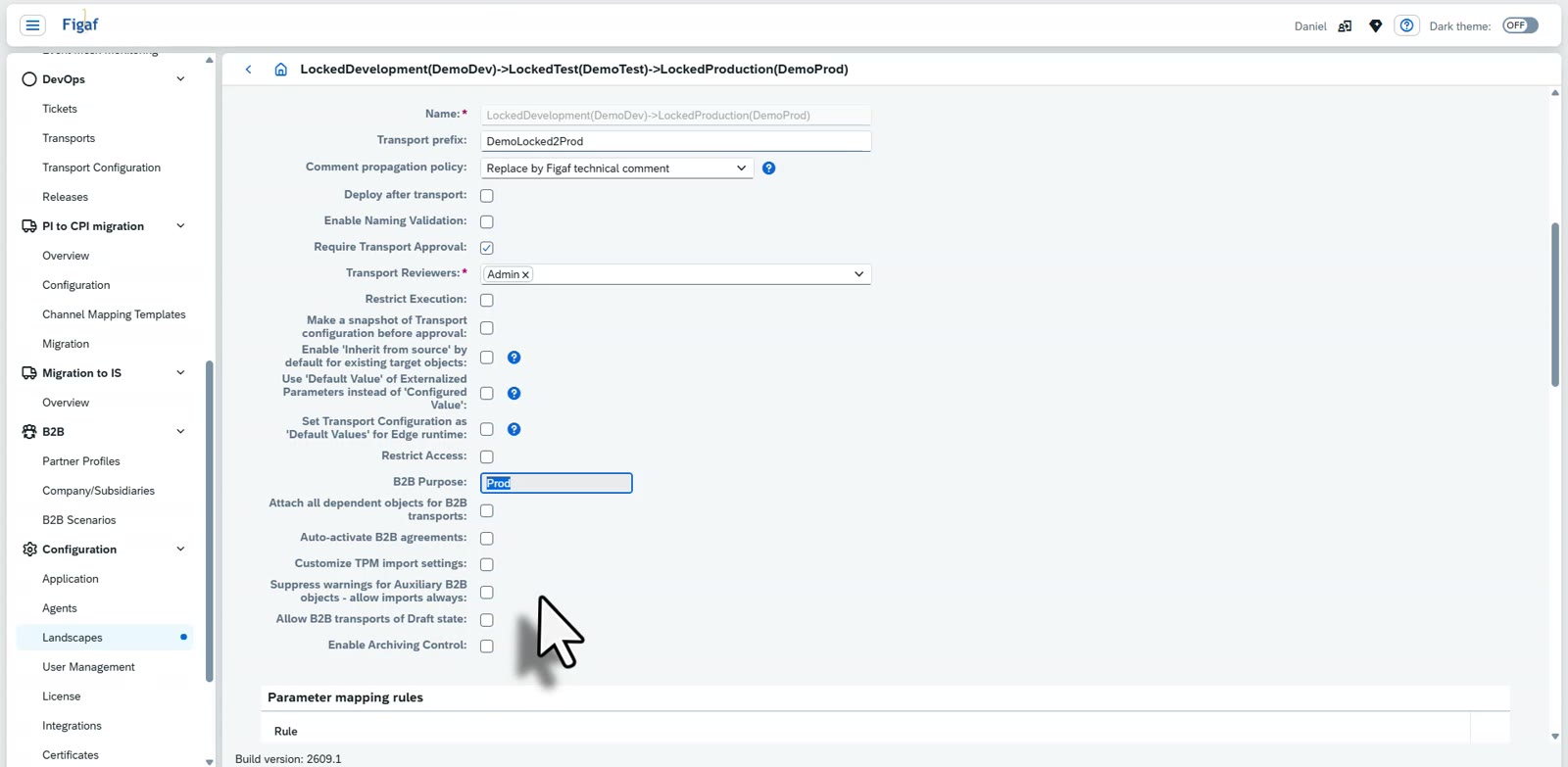
B2B. For B2B landscapes you set the B2B purpose of each stage, whether all dependent objects are attached to B2B transports, whether B2B agreements are activated automatically, how the TPM import settings are customised, whether warnings for auxiliary B2B objects are suppressed, whether B2B transports of objects in draft state are allowed, and whether archiving control is enabled.
The systems in a landscape, in order, with the purpose of eachThe two transport workflows, explained where you choose themApproval, reviewers, executors and access restrictions on a landscapeThe B2B settings on a landscape
Business value
The process is written down. The way changes move is a set of settings that anyone can read, not knowledge that sits with one person.
Every transport follows the same rules. Approvals, naming checks and configuration are applied by the landscape, so they do not depend on who does the transport.
Fits how you deliver. Use the latest version workflow for continuous delivery, or the locked version workflow when a project moves a tested set of versions through every stage.
One process for B2B and the rest. B2B transports use the same landscape, with settings of their own where they need them.
Good to know
Landscape configuration is part of Figaf DevOps Suite. The transport workflow is chosen when the landscape is created. Related features: change and transport and virtual tenants.
The systems, their purposes, who approves, how objects are renamed, which transport workflow is used and who is notified are all settings on the landscape, so the process is configured and not remembered.