Company/Subsidiaries
Subsidiaries are the parts of your own company that take part in B2B exchanges. This page describes how to create them under your company profile, with their per-system security details and communication user accounts.
To review the channels of a company or subsidiary you already created, select it and click Manage Communications - see the Manage Communications dialog.
Requirements:
-
All required Agent Systems have been configured (see Agent Configuration to learn how to do that).
Create Subsidiary
Since 2510 version Figaf Tool supports creation of subsidiaries on Company/Subsidiaries tab on B2B page:
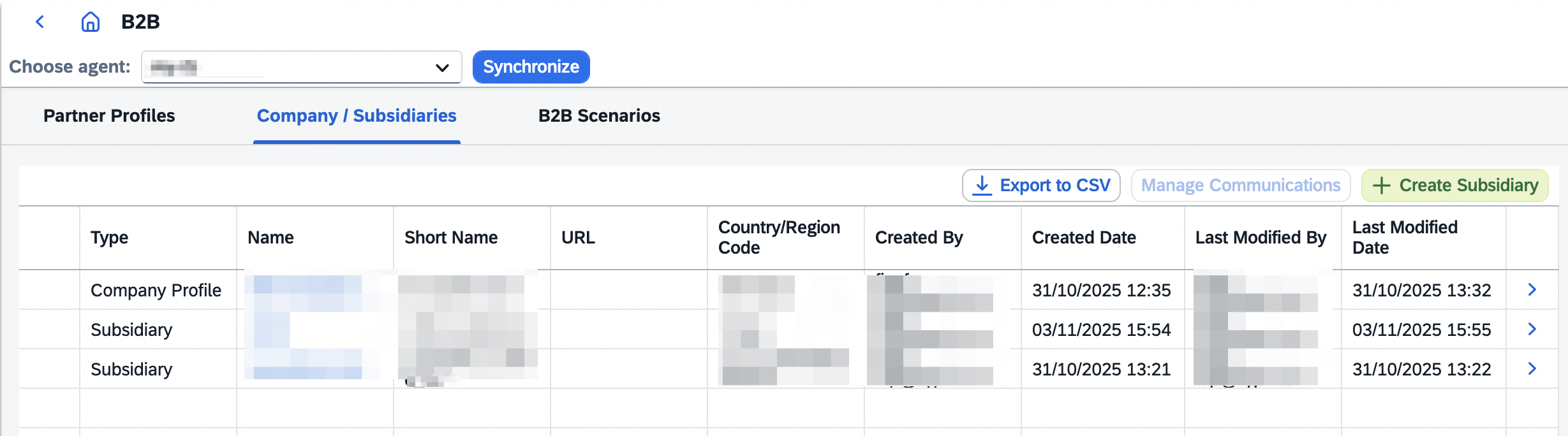
Configure new Subsidiary in the dialog:
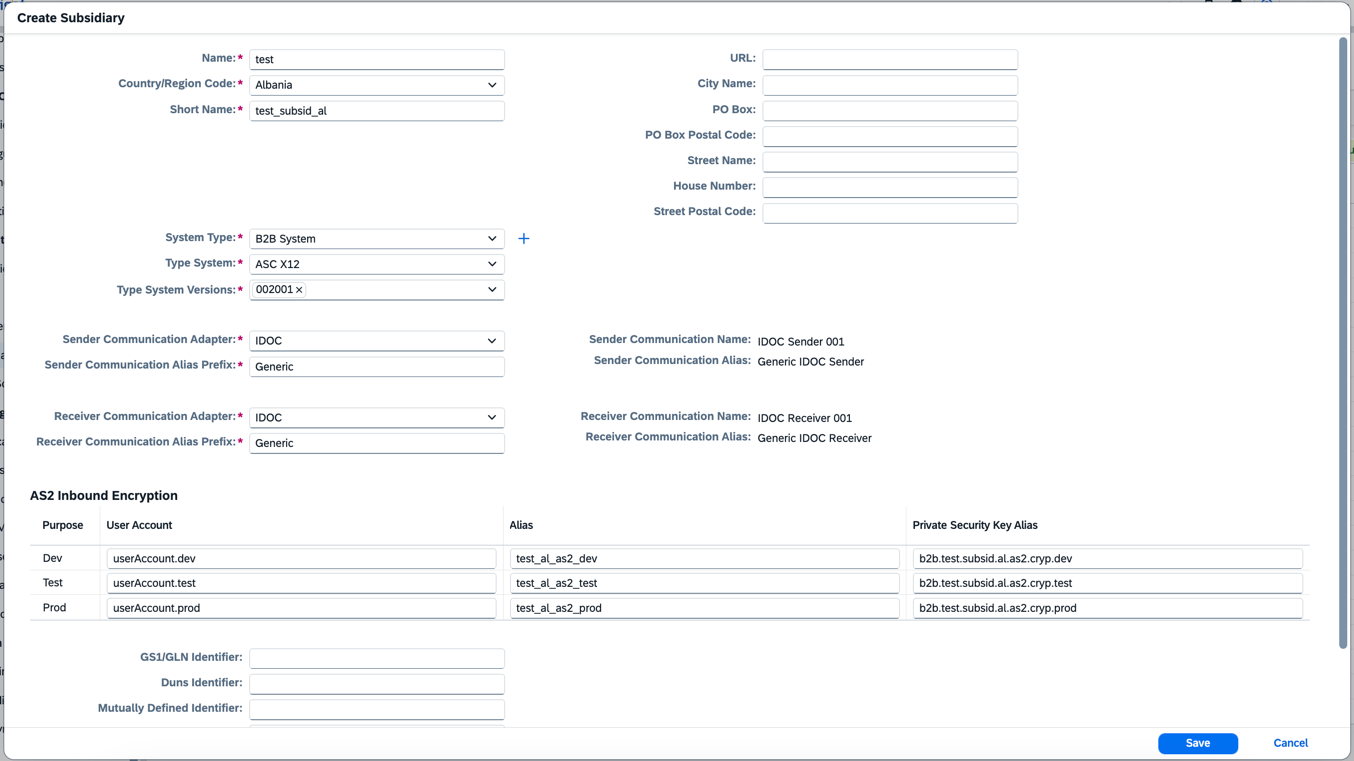
Since 2608, the subsidiary creation dialog includes a per-system (Dev/Test/Prod) security table with Purpose, User Account, Alias and Private Security Key Alias columns. The communication user accounts and security entries are generated automatically, with names that are unique per subsidiary across the company profile.
These security entries travel with the company or subsidiary in a DevOps transport. If a transported entry can’t be activated in the target tenant, see Transported security configuration can’t be activated.
|
If
This prepares the TPM configuration for an authentication workaround where AS2 partners call a ProtectedAPI proxy without their own SAP credentials, so only signature and encryption certificates are needed in the TPM configuration. |
|
If there is no required system type, it is possible to create new: 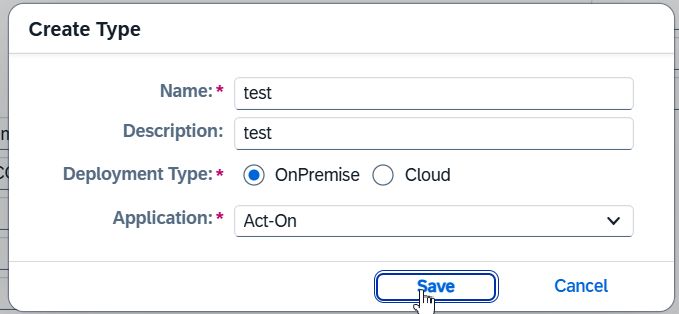
|