Transports page
Transports page shows all created transports and looks:
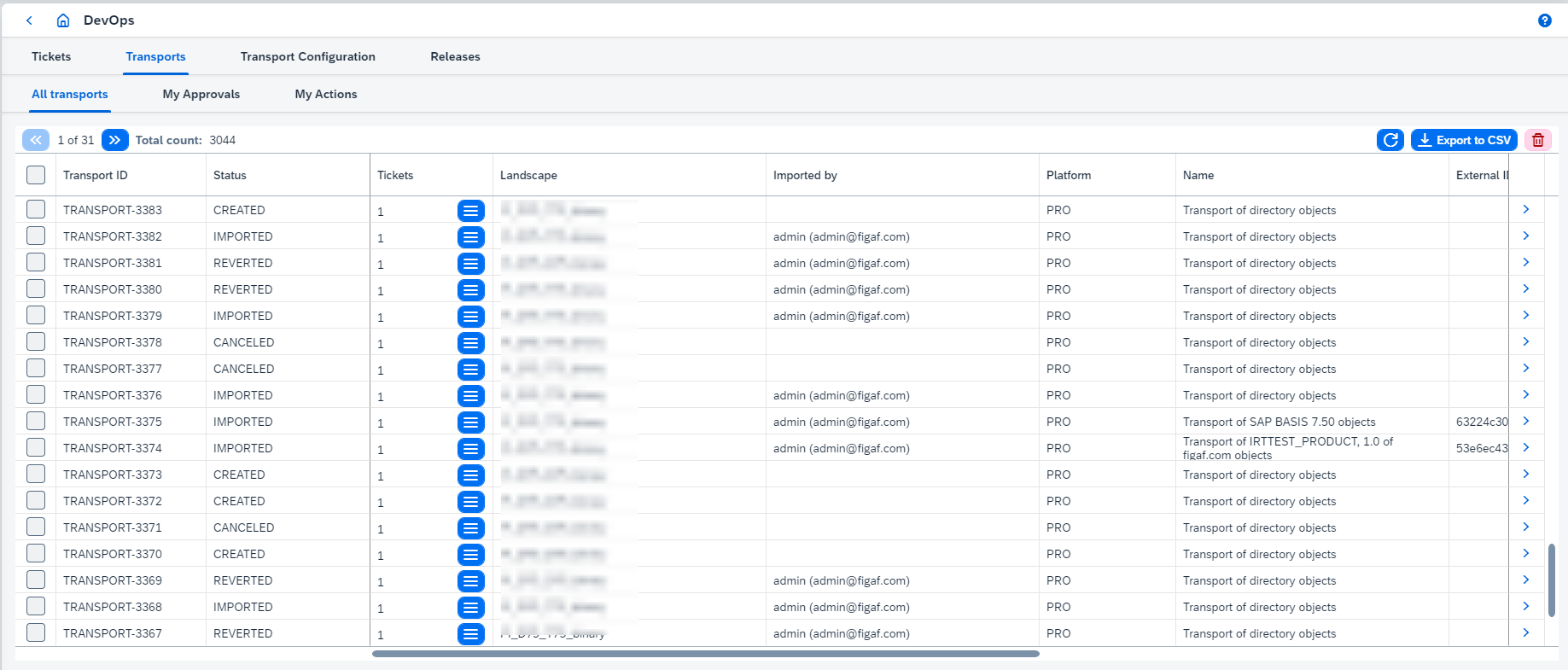
Transport ID is generated automatically based on the prefix and corresponding incremented number. Prefix can be configured through irt.config.transport-id-prefix parameter (see Figaf Tool application running for more details).
On this page you can:
-
Switch between tabs:
-
All transportsto view all existent transports. -
My Approvalsto view transports inWAITING_FOR_APPROVALstatus and current user is reviewer for them. -
My Actionsto view transports inCREATED,WAITING_FOR_APPROVAL, orIN_PROGRESSstatuses which can be performed by current user. The following is available on this page:-
Importseveral transports in batch mode.Batch import is supported for all CPI/Api Management transports linked with binary landscape and only for Integration Directory transports linked with PI binary landscape. Batch import is not supported for groups of transports (when multiple transports created for one ticket).
Once several transports are imported in batch mode, they are linked by
batchIdand can be rollbacked only in batch mode from transport page of one of this linked transports. Batch rollback feature has some limitations that you can read here. If transports are linked bybatchId, transitions of related tickets statuses are executed together (see ticket status transitions here). -
Scheduletransports which are ready for import and linked with binary landscape. Be sure to configure appropriateScheduled transports execution timeon Landscape configuration page.Only independent transports (i.e. without shared objects) should be scheduled for import. -
Disable schedulefor transports.
-
-
-
View linked tickets of required transport clicking on its
 button. You also can open the ticket details page clicking on 'Ticket ID: Title'. It opens ticket page.
 -
View a transport details clicking on
 button. It opens transport page.
 -
Select transport(s) and delete it(them) clicking on
 button.
 -
Show only pending- hides transports in a final state (IMPORTED,REVERTED,CANCELED,DECLINED). The filter runs on the server and the choice is remembered per browser.