CPI Statistics Overview
CPI Statistics Overview gives an overview of how many messages has been processed at any given hour/day/month per IFlow.
You need to enable Enable message processing logs statistics setting on CPI agent configuration to have the statistics working.
|
Select agent and timestamps, then the statistic will be loaded:
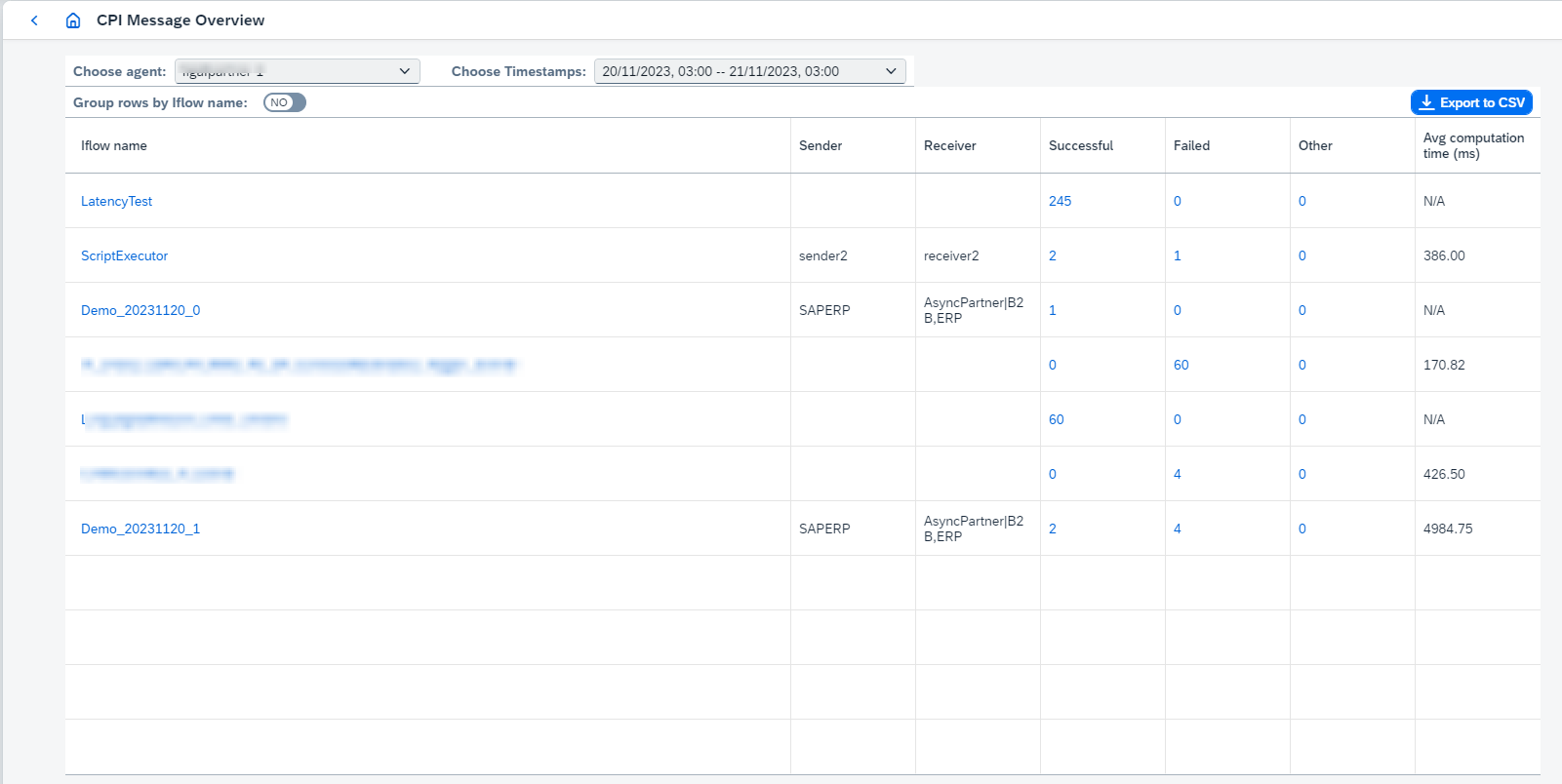
Then it’s possible to Export to CSV or browse related message in CPI Message Monitoring clicking on IFlow name or messages count. It will redirect you to monitoring page with configured filters for From, To, Integration Flows, Sender and Receiver. If corresponding message monitor filter doesn’t exist, you will be asked to create it.
1. Reading the table
Each row counts the messages processed for one combination of IFlow, sender and receiver over
the selected period. Alongside the identifying columns you get counts such as Successful,
Failed and Other, and an Avg computation time (ms) that reads N/A when it cannot be
calculated. Retry messages are counted since 2404, and 2412 added further columns including
the IFlow’s displayed name, so the set you see may be wider than the screenshot above.
Turn Group rows by Iflow name on to aggregate the rows of one IFlow regardless of sender
and receiver — useful when the same IFlow serves many partners.
The statistics are built from the tenant’s message processing logs, so they reflect what SAP
retains, and Edge Integration Cell runtimes are supported since 2410. The related
Long Running Messages count metric is also available in
CPI System Monitoring and
Support Tool.