Anonymization variables
If you test some confidential data and you don’t want test them directly, you can use anonymization to anonymize your data.
Message anonymization variables contain fields that can be used in your scenarios. Anonymization Variables page looks:
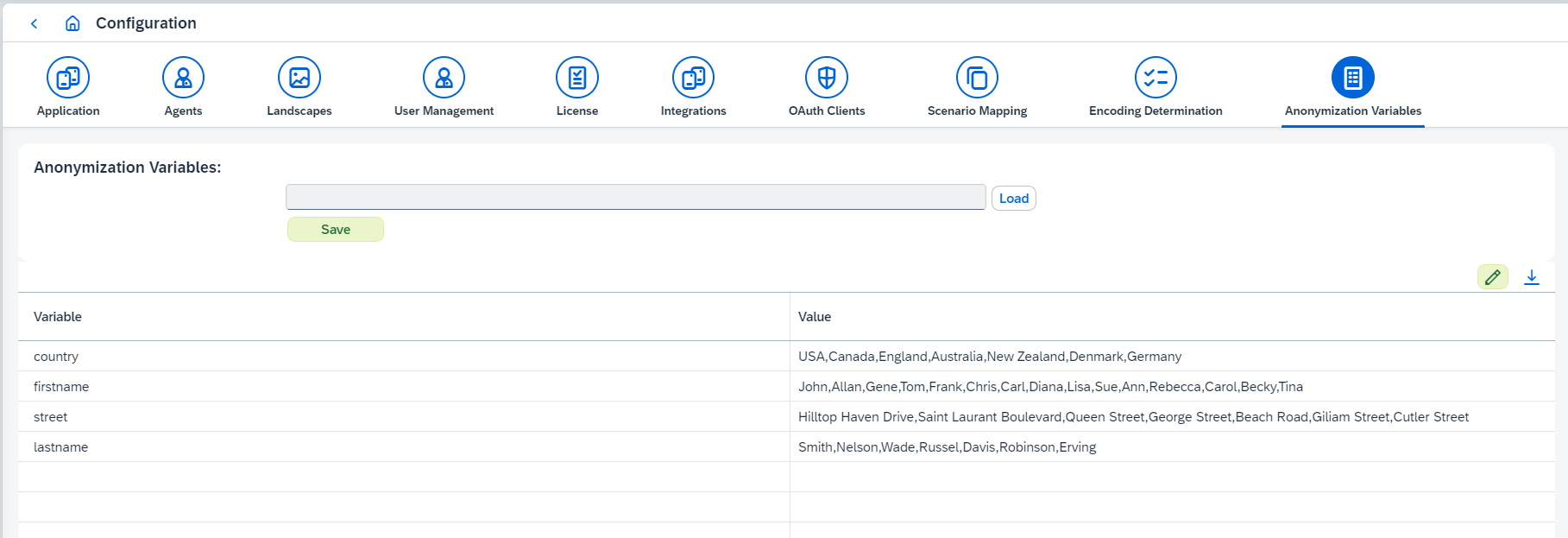
A variable is a name and a list of candidate values. When a variable is used, one of its
values is picked at random, so repeated runs do not all carry the same substitute. Figaf Tool
ships with firstname, lastname, country and street as examples.
On this page you can:
-
Edit anonymization variables:
-
Load csv file with new data.
-
Edit data in the table. To enable edit mode click on
 button. After that you can add new variables, update or delete existing ones. To save changes click on
  button, to reset -
  .
.
-
-
Download current anonymization variables clicking on
 button.
1. CSV format
One variable per line. The variable name comes first, separated from its values by a semicolon; the values themselves are separated by commas:
firstname;John,Allan,Gene,Tom,Frank,Chris,Carl,Diana,Lisa,Sue,Ann,Rebecca,Carol,Becky,Tina
lastname;Smith,Nelson,Wade,Russel,Davis,Robinson,Erving
country;USA,Canada,England,Australia,New Zealand,Denmark,Germany
Downloading the current variables gives you a file in this format, which is the easiest way to start from what is already configured.
2. Where variables are used
Variables are consumed on the Messages Anonymization tab of a test case — see
Test Case
page. There you map an element of the message to a function, and the
Generate value from template function accepts variables by name:
-
${firstname} ${lastname}substitutes one random value from each variable. -
produces a digit,?an uppercase letter and*a lowercase letter, so##yields three random digits. Template characters and variables can be combined in one template.
| Message anonymization works only for XML messages. |
Only users with the IRTAdmin or IRTApplicationManager role can change anonymization
variables, as described in
User management and permissions.